
Roblox Clothing Tester — Preview Shirts & Pants in 3D
Roblox clothing tester by ThumbBlox puts your classic shirt, pants and T-shirt PNGs on a rotating 3D R6 or R15 avatar so you can check seams before paying to upload.
Loading 3D avatar…
Sample: labeled template · R6
Free · Unlimited · No account · No watermark · Files stay in your browser
Upload clothes and preview them in 3D
Your clothing files
PNG, JPG or WebP up to 10 MB and 20 megapixels. Load one, two or all three; they are layered like in Roblox (pants, then shirt, then T-shirt on the chest).
Avatar body
PNG, JPG or WebP up to 10 MB and 20 megapixels. After you add a file, this box lists its size check and any empty panels. Turn on panel seams to see which template rectangle lands on each side of the body.
This Roblox clothing tester is for players and clothing-group designers who want to catch stretched sleeves or a graphic on the wrong panel before spending 80 Robux on an upload. Load a shirt, pants and T-shirt together, switch between R6, R6 Woman and R15 bodies, rotate the avatar, then save a PNG screenshot or a front-and-back sheet. It is free and unlimited, needs no account, adds no watermark, and your files stay in your browser.
How to preview Roblox clothes in 3D
The Roblox clothing tester cuts your PNG into the 18 rectangles of the classic clothing template and wraps each one onto the matching side of a blocky avatar, the same way Roblox reads the file. Nothing is redrawn or cleaned up, so what you see is your file as it is.
- Export your design from your editor as a 585 × 559 PNG for a shirt or pants, or a square PNG for a classic T-shirt.
- Tap Shirt, Pants or T-shirt above and pick the file; load more than one to see the full outfit.
- Choose an R6, R6 Woman or R15 body, then drag to rotate or tap Front, Back, Left, Right or 3/4.
- Turn on panel seams and read the file checks to find artwork that sits on the wrong rectangle or an empty panel.
- Fix the PNG in your editor, load it again, and save a PNG or front-and-back sheet when it looks right.
Shirt and pants 3D preview examples
Each example pairs a flat template PNG with the 3D screenshot this tester downloaded for it. The templates are original patterns drawn for this site; no AI generation was used.
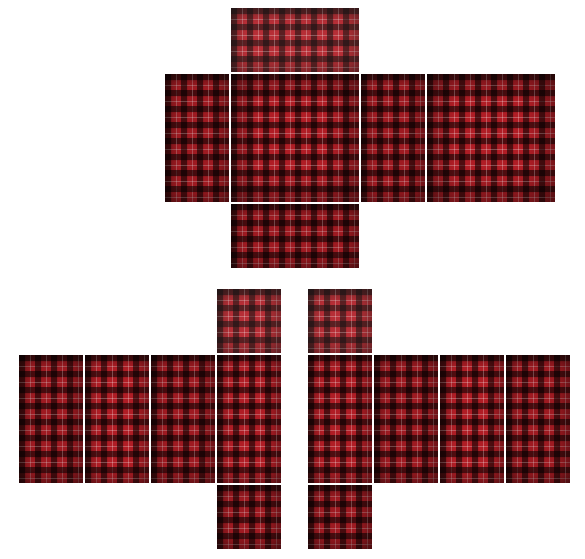
Shirt PNG (camo pants also loaded)
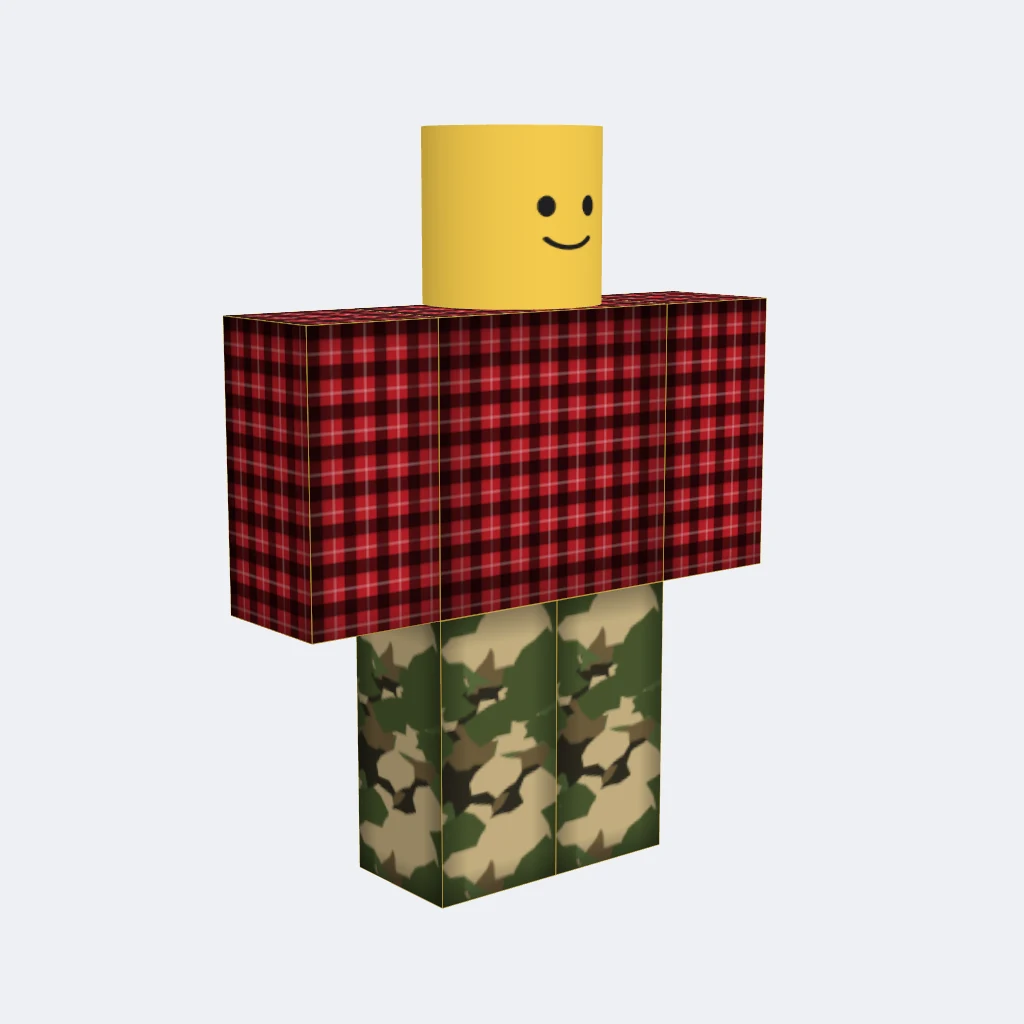
3D preview · R6 · 3/4
Flannel shirt and camo pants on R6
A red plaid shirt template and a woodland camo pants template loaded together, seen from the 3/4 angle; the plaid runs evenly from the chest onto the sleeves.
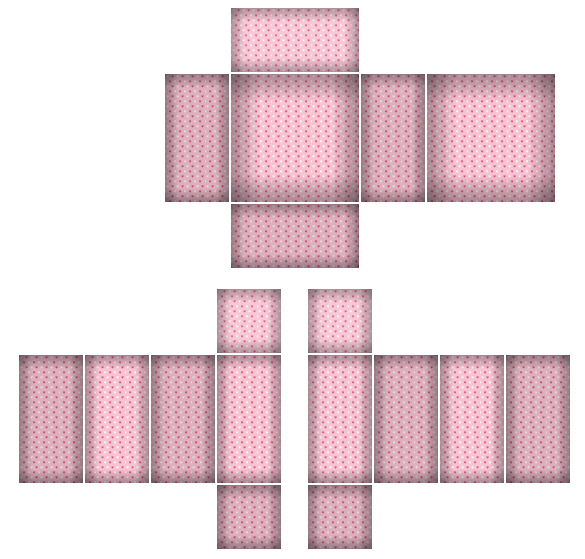
Shirt PNG
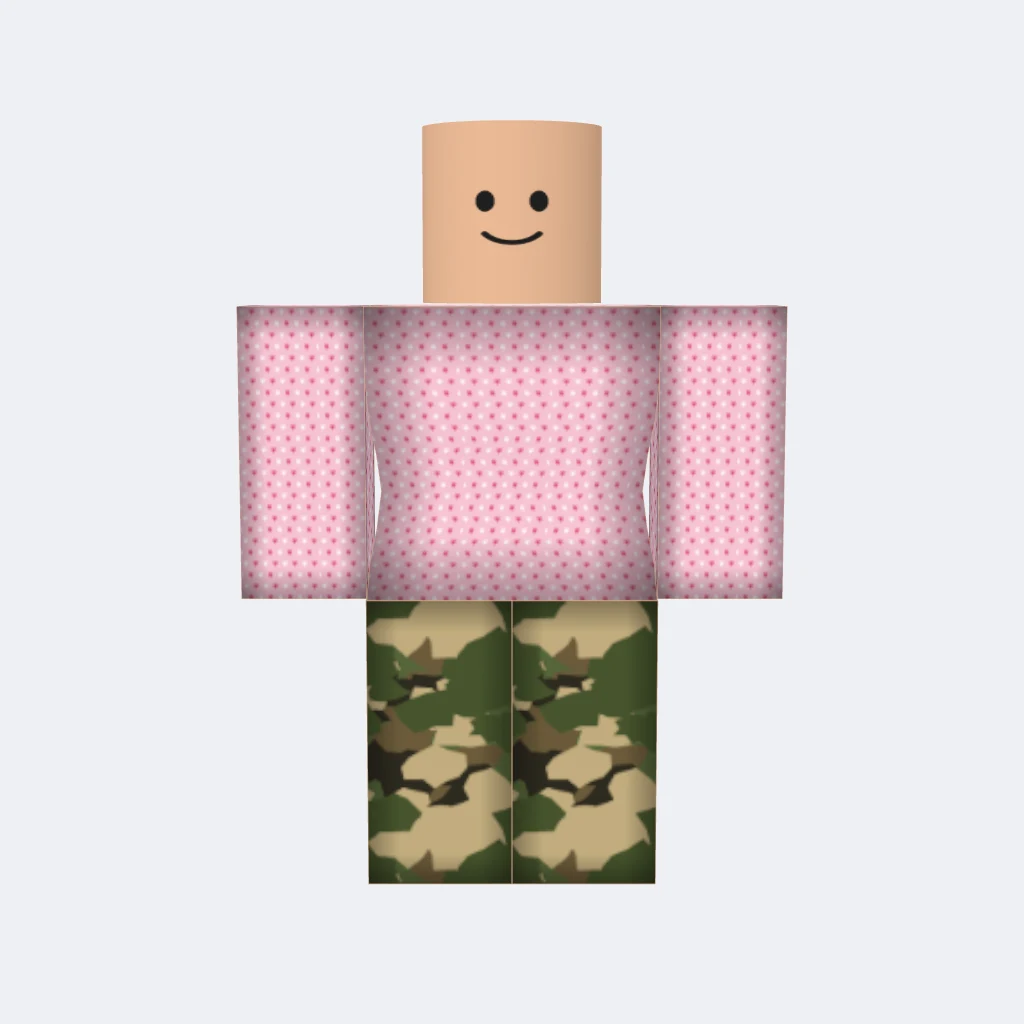
3D preview · R6 Woman · front
Pink hearts top on R6 Woman
A pastel heart-print shirt with the same camo pants on the slim-waist R6 Woman body, front view; the pattern narrows at the waist but stays aligned.
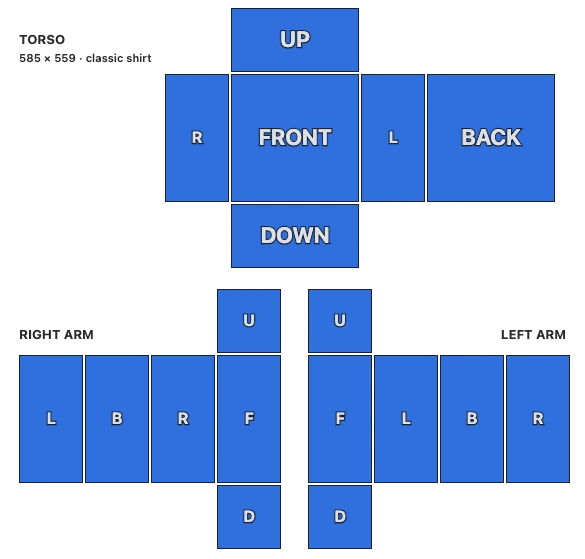
Labeled shirt PNG
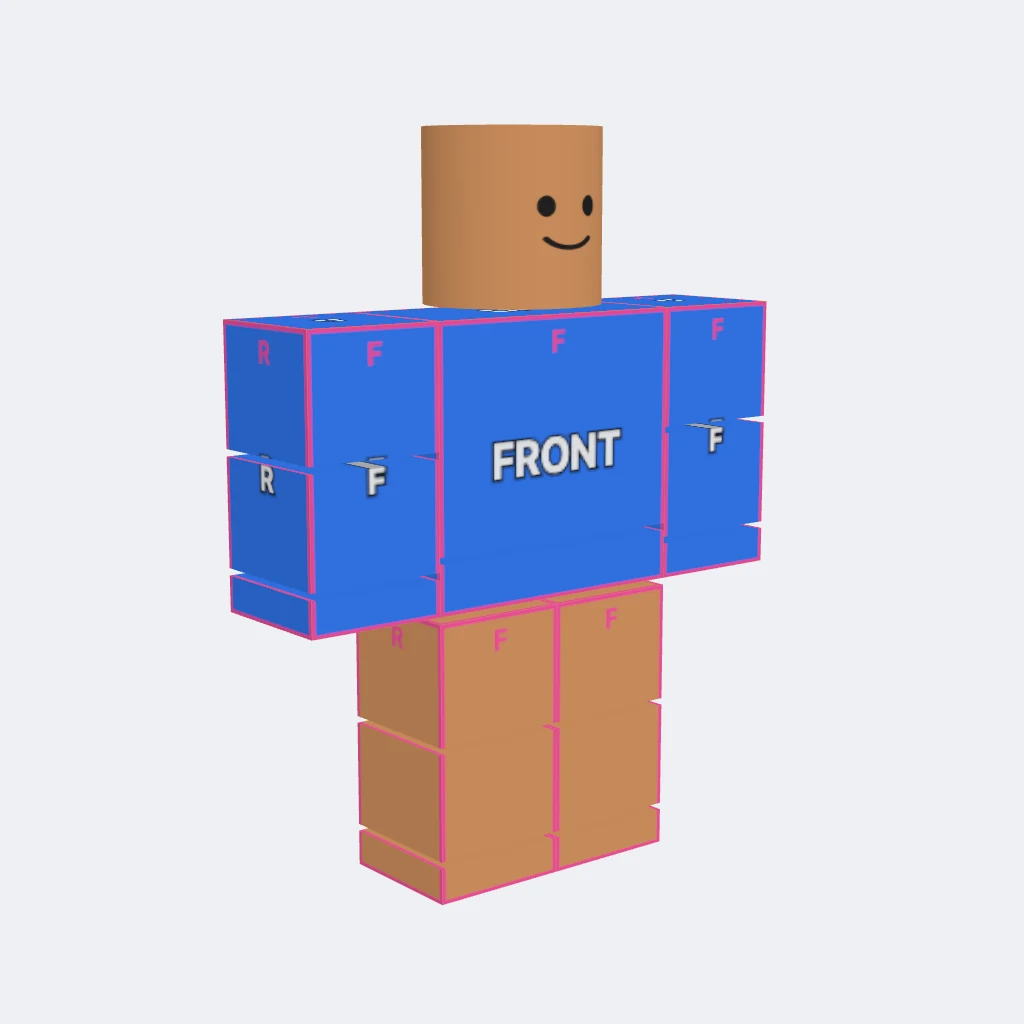
3D preview · R15 · seams on
Labeled template on R15 with seams
A blue labeled shirt template on R15 with panel seams turned on: the F and R letters show which rectangle lands on each side, and the sleeve letters split at the elbow joint.
Is this Roblox clothing tester free?
Yes. This Roblox clothing tester is completely free: you can load as many shirt, pants and T-shirt PNGs as you like, switch bodies, and download every screenshot without an account, credits or a watermark. It costs nothing to run because all the drawing happens in your own browser. The only cost in the whole process is the 80 Robux Roblox charges when you finally upload an item.
Downloads come in two sizes: a 1024 × 1024 PNG of the current camera angle, and a 1600 × 1000 sheet with the front and back side by side. Keep “Transparent PNG” on to drop the avatar onto a thumbnail or store image, or turn it off for a light grey background.
Does the Roblox clothing tester work on R6, R6 Woman and R15?
The Roblox clothing tester shows the same 585 × 559 file on three blocky bodies. R6 is six blocks, so each template panel covers one whole side. R15 splits the torso and limbs at the waist, elbows, wrists, knees and ankles, so lines and text that cross those joints break into pieces. R6 Woman narrows the waist and hips, which squeezes the lower part of the front and back panels.
Test on the body you or your buyers wear most. A design that looks clean on R6 can show cut stripes on R15 sleeves; moving a graphic away from the elbow (about 45% down the arm panel) and the waist (about 80% down the torso) usually fixes it. The R6 Woman and R15 shapes here are close approximations of the Roblox meshes, not exact copies, so check a final design in Roblox Studio.
Can I test a Roblox T-shirt and shirt together?
Yes. Load a classic T-shirt image in the T-shirt slot and a shirt in the Shirt slot, and the tester layers them like Roblox: the T-shirt sits on top, only on the front of the torso, over the shirt and pants. A classic T-shirt is a single square image rather than a 585 × 559 template, so it never reaches the sleeves, sides or back.
If your T-shirt picture is not square, the tester stretches it to a square and tells you, because that is how it will look in game. Use transparency around the graphic if you want the shirt underneath to show through.
Why preview Roblox clothes before uploading?
Previewing Roblox clothes before uploading saves Robux: Roblox charges 80 Robux to upload each classic shirt, pants or T-shirt, and a file with a sleeve on the wrong side or a graphic wrapped around the ribs costs another 80 Robux to replace. A 3D check takes seconds and shows the mistakes a flat template hides, such as artwork that does not line up across the torso and arm seams.
Roblox Studio can also test classic clothing for free: insert a rig, add a Shirt or Pants object, and point its template at your image (see the Roblox guide to testing classic clothing). It is the most exact check but needs a computer and an install; this page works instantly on a phone, tablet or Chromebook.
Clothing tester price and limits
Every feature of the clothing tester is free and unlimited. Files can be PNG, JPG or WebP up to 10 MB each; only PNG keeps the transparency Roblox needs, so upload PNGs to Roblox. The upload fee is from the Roblox classic clothing documentation (checked 2026-11-23) and is paid to Roblox, not here.
| What you do | Cost | Added watermark |
|---|---|---|
| Preview shirt, pants and T-shirt PNGs in 3D | Free · unlimited · no account | None |
| Switch R6, R6 Woman and R15, seams and skin tone | Free · unlimited | None |
| Download a 1024 × 1024 PNG or 1600 × 1000 front-and-back sheet | Free · unlimited | None |
| Upload a classic shirt, pants or T-shirt to Roblox | 80 Robux per item (paid to Roblox) | — |
What the clothing tester can't check
- Exact in-game look: lighting, shading and the curved meshes of some bundles differ from these blocky bodies.
- Layered (3D) clothing, accessories and UGC meshes; only classic 2D shirts, pants and T-shirts.
- Editing: it shows problems but does not repaint the file. To start a design or add a pattern, use the Roblox clothing template maker, or fit an existing picture with the Roblox image resizer.
- Walking or posing animations and video; the avatar stands still and you save still images.
Roblox clothing tester FAQ
Is there a Roblox clothing tester app for iPhone or Android?
You do not need an app. The Roblox clothing tester runs in Safari, Chrome and other mobile browsers: tap Shirt, Pants or T-shirt, pick the PNG from your photos or files, and drag with one finger to rotate the avatar. Screenshots save to your downloads like any other image.
Can I test a shirt by its Roblox item or asset ID?
No. The tester only opens image files you choose from your device; it does not download clothing from the Roblox catalog by ID. Use it for your own designs before they are uploaded.
Can it tell me if my clothing will pass Roblox moderation?
No. Moderation is decided by Roblox after you upload, so the tester cannot tell you whether an item will be approved. It only shows how the image wraps the avatar; keep logos you do not own, personal information and offensive content out of the design.
Are my clothing files uploaded to a server?
No. The image is read and drawn by your browser on your own device, and nothing is sent to our servers while you test or download. Closing or refreshing the tab clears the preview, so keep your original PNG files.