
Resize Image for Instagram Without Cropping
Resize Image for Instagram by ThumbBlox fits your photo into post, Story and profile sizes, free in your browser.
Drop one JPG, PNG or WebP here · Up to 20 MB and 40 MP
Your photo stays on this device.
The ThumbBlox Instagram photo resizer prepares one photo for a post, Story, Reel cover or profile picture on your phone or computer. It keeps the original proportions and lets you add a border or crop to fill the frame. Preview and download JPG or PNG files up to 1080 × 1920 for $0 and 0 credits, with no account or added watermark.
Updated
How to resize a photo for Instagram
Open a JPG, PNG or WebP on this page and choose where the image will appear. The preview shows how the photo fits the selected canvas before you download. Use Fit to keep the whole photo, or Crop when you want it to fill the canvas edge to edge.
- Choose a JPG, PNG or WebP from your device.
- Pick a post, Story, Reel cover or profile size.
- Keep the whole photo with Fit, or choose Crop to fill the frame.
- Download the current image as JPG or PNG, or save all five sizes as a ZIP.
Instagram resize examples
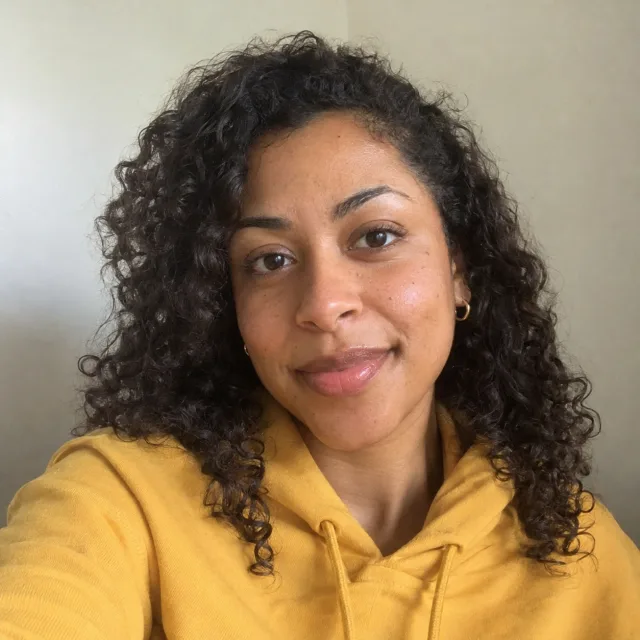
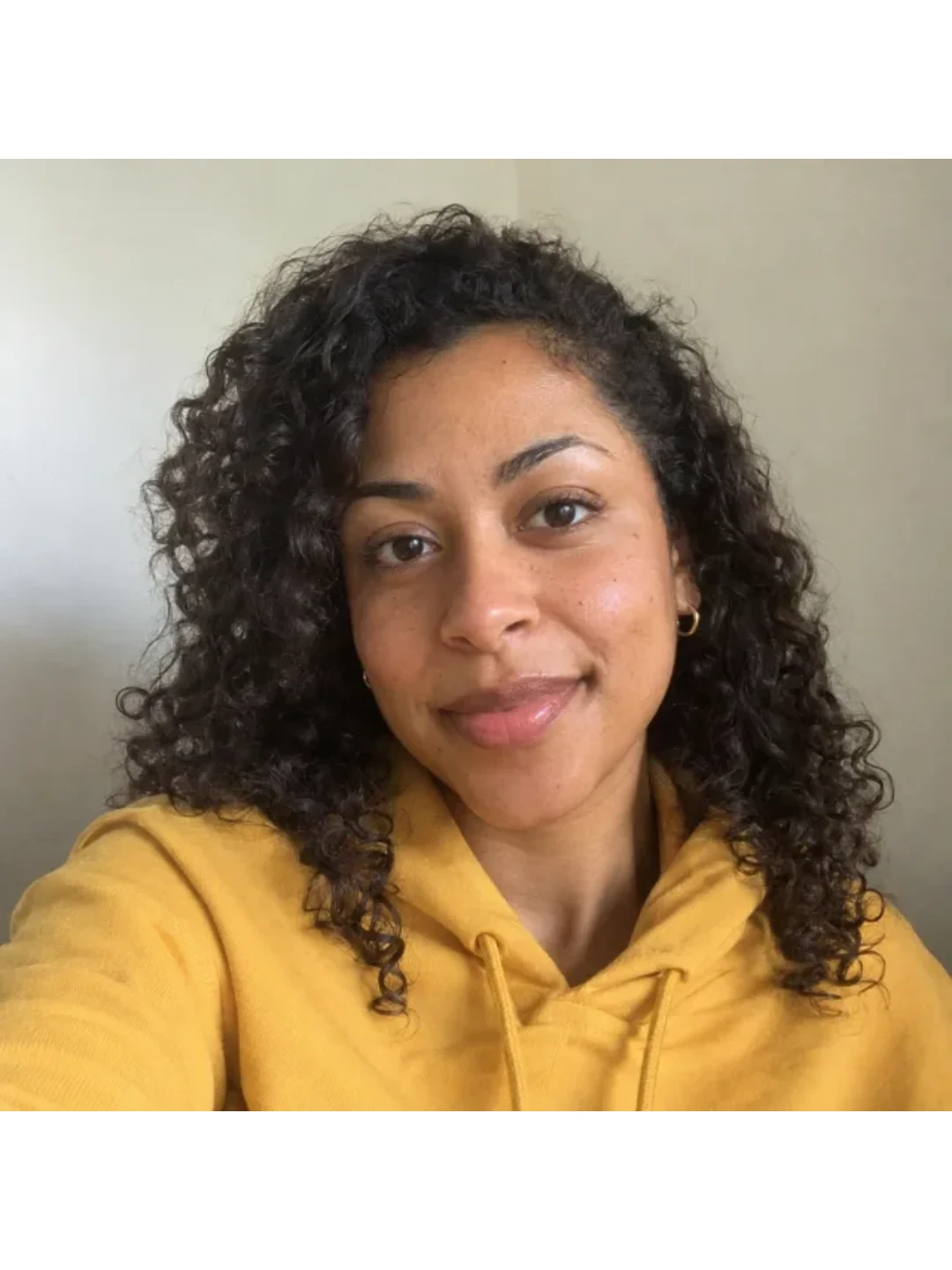
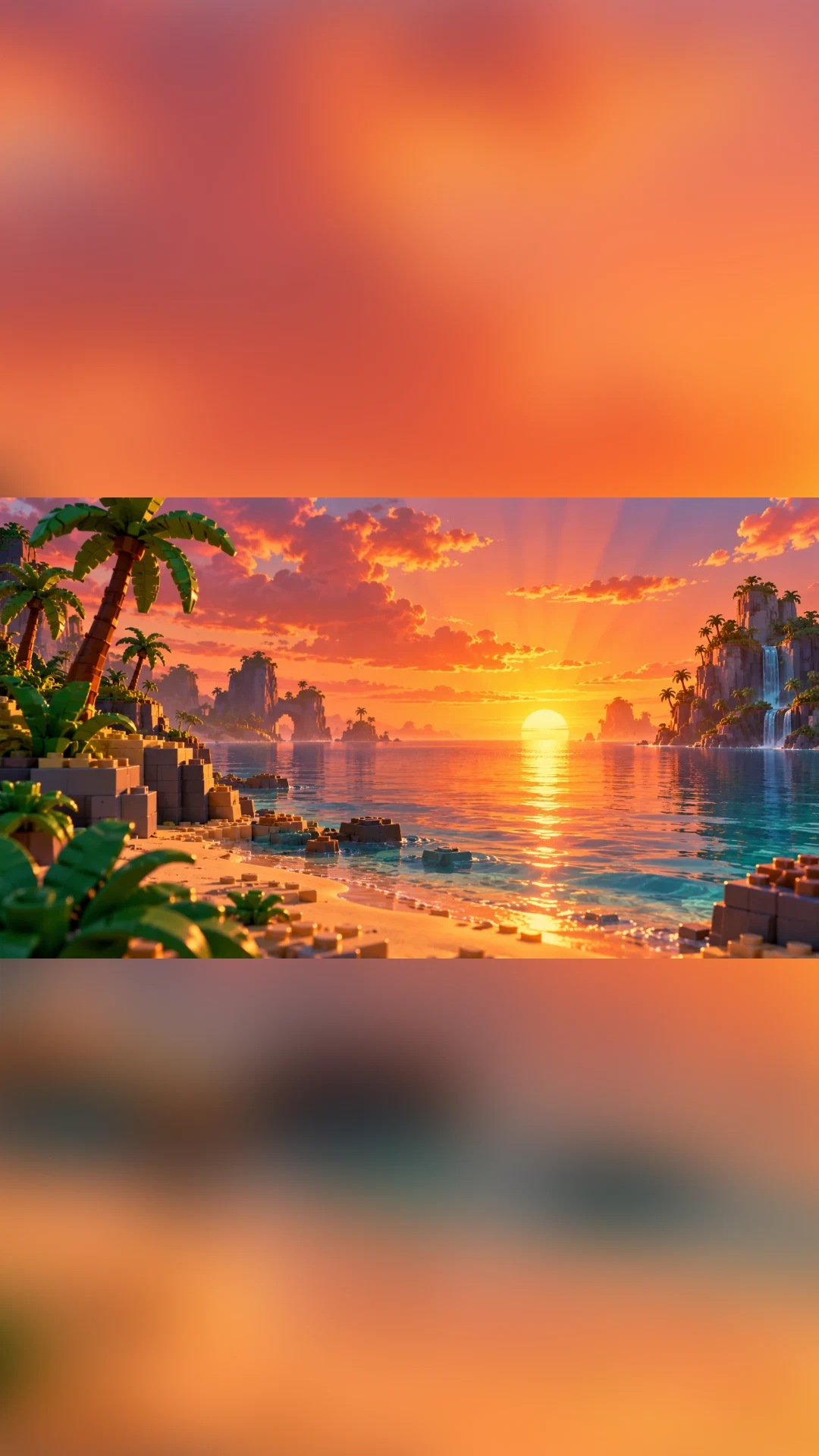
These pairs show what happens when you fit or crop a photo for a new frame. White padding keeps the edges clear in a portrait post, while a blurred background carries the colors of a wide image into a Story. A centered crop gives a square post an edge-to-edge image.
Fit a selfie to a 3:4 post
White padding above and below keeps the full square selfie visible inside a 1080 × 1440 portrait.
Original
Resized
Fit a wide scene to a Story
A blurred copy of the sunset fills the extra space, while the sharp wide scene stays intact in the center of a 1080 × 1920 Story.
Original

Resized
Crop an action scene to square
The 1080 × 1080 square fills the frame, trimming the landscape on both sides and cutting into the runner’s trailing foot.
Original

Resized

How do I resize an image without cropping it?
The ThumbBlox Instagram resizer keeps the entire picture when you choose Fit whole photo. Fit scales the width and height together and fills any space around the photo with white, black or a blurred copy of the picture. Use it when faces, feet or details sit near an edge. Choose Crop to fill if you want the frame filled and can spare the edges.
What size should I use for an Instagram post or Story?
The ThumbBlox Instagram resizer offers 1080 × 1440 (3:4) for a tall feed photo, 1080 × 1350 (4:5) for a shorter portrait and 1080 × 1080 (1:1) for a square post. An Instagram Story or Reel cover uses a 1080 × 1920 (9:16) canvas. A 3:4 image is one portrait post. To split a photo across several posts, use the Instagram Grid Maker.
| Placement | Ratio | Pixels |
|---|---|---|
| Portrait post | 3:4 | 1080 × 1440 |
| Portrait post | 4:5 | 1080 × 1350 |
| Square post | 1:1 | 1080 × 1080 |
| Story / Reel cover | 9:16 | 1080 × 1920 |
| Profile photo | 1:1 | 320 × 320 |
How do I resize a photo for Instagram on my phone?
The ThumbBlox Instagram resizer lets you choose a picture from your phone library, pick a size and download it in your browser. You can do this without installing an app or creating an account. The editor reads and resizes the picture on your device, so selecting a family or client photo does not send it to ThumbBlox.
Instagram resizer pricing
Previewing, downloading one image and downloading all five sizes are free. Each action costs $0 and 0 credits, with no account or daily download allowance. JPG and PNG downloads use the same pricing and carry no added watermark, whether you save one picture or the ZIP.
| Action | Price | Credits | Watermark |
|---|---|---|---|
| Preview | $0 | 0 | None |
| JPG or PNG | $0 | 0 | None |
| Five-size ZIP | $0 | 0 | None |
What the resizer can handle
Resize one still JPG, PNG or WebP at a time, up to 20 MB and 40 megapixels. Convert HEIC to JPG first. Very small originals can look soft after enlargement because the tool uses the detail already in the photo. Downloaded pictures are still images. You post them yourself from Instagram.
Instagram photo resizer FAQ
You can reuse the same photo across several parts of an Instagram profile. Choose a size for the place you plan to post it, and check the framing before you leave the editor. For a series of posts, keep the same background color so the borders look consistent.
Can I download all five Instagram sizes at once?
Yes. Download all sizes creates a ZIP with five versions of the same photo in your selected JPG or PNG format. The same Fit or Crop setting applies to every size.
Why is my Instagram profile picture square in the download?
The profile preset makes a 320 × 320 square picture. Instagram displays the picture inside a circle, so leave room around a face or logo and keep it near the center.
Why can an Instagram Reel cover look cropped on my profile?
Instagram can use a tighter crop for the cover in your profile than it uses when the Reel is open. Put the face or title near the middle and check Instagram’s profile preview before you post.