
YouTube Thumbnail Converter — Resize Your Image
YouTube thumbnail converter by ThumbBlox resizes your existing image to 16:9 and exports a JPG or PNG under 2MB, free in your browser.
Free · No account · No added watermark · Your image stays on your device
ThumbBlox is an image to YouTube thumbnail converter for creators who already have a photo, screenshot or design. Choose a 1280×720 or 3840×2160 frame, crop or keep the whole image, and export a static JPG or PNG under 2MB. Conversion and downloads cost $0, use 0 credits, require no account and add no watermark; your image is processed on your device.
Updated 2026-11-14
How the YouTube thumbnail resizer works
The ThumbBlox YouTube thumbnail resizer turns one existing picture into a 16:9 image you can preview before downloading. Crop fills the frame; Keep whole image adds padding instead of cutting off the edges. Conversion runs on your device, so there is no upload queue, login or credit purchase. The prepared file shows its actual dimensions, format and byte size before you save it.
- Upload a JPG, PNG or WebP from your device.
- Choose 1280×720 or 3840×2160, then crop or keep the whole image.
- Check the frame; drag a crop or choose blurred, white or black padding.
- Convert, check the file size and save the resulting JPG or PNG.
Thumbnail image resizer examples
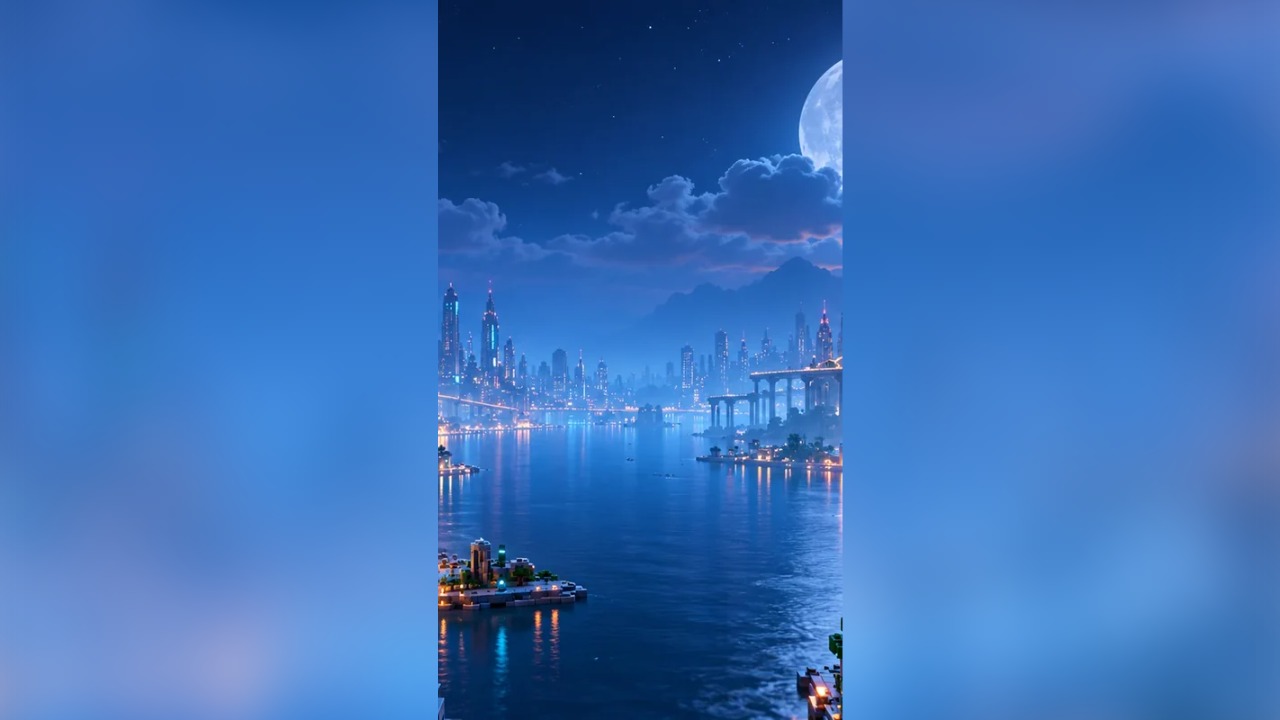
These three before-and-after pairs show a square image cropped to 16:9, a vertical city picture fitted with blurred sides, and a portrait fitted on white. Each result is an actual 1280×720 export of this converter. Cropping removes the edges outside the preview; fitting preserves the full picture and fills the unused parts of the frame.
Before · 512×512

1280×720 result

Before · 450×800

1280×720 result
Before · 317×453

1280×720 result

What size should a YouTube thumbnail be?
The ThumbBlox YouTube thumbnail converter exports 1280×720 and 3840×2160 images for regular 16:9 video thumbnails. YouTube currently recommends the larger size, with a minimum width of 640 pixels. Both presets use the same proportions: choose the larger one for a detailed original, or the smaller one for a lighter file. Enlarging a small image cannot recover missing detail.
YouTube’s official thumbnail requirementsHow do I convert a YouTube thumbnail to under 2MB?
The ThumbBlox YouTube thumbnail converter keeps exports below 2,000,000 bytes by lowering JPG quality when needed. Choose JPG for photos or PNG for artwork and text. A PNG that exceeds the ceiling switches to JPG, with a visible notice before saving. YouTube’s current video thumbnail limit is 2MB on mobile and 50MB on desktop; this tool keeps either preset below the mobile limit.
Is this YouTube thumbnail converter free online?
The ThumbBlox YouTube thumbnail converter is free to use and download, without an account, credits or an added watermark. There is no paid export step or daily conversion quota. Processing happens in your browser, one image at a time; device memory can limit large files. If you need a newly composed picture rather than a size conversion, use the separate AI thumbnail generator.
AI YouTube thumbnail generatorYouTube thumbnail converter pricing & credits
ThumbBlox previews, converts and downloads both output sizes for free. Choosing PNG, switching padding or trying another crop does not spend credits. The converter adds no watermark and does not require sign-in. This pricing applies to resizing an existing image on this page; the separate AI generator has its own credit prices and does not run as part of conversion.
| Operation | Price | Credits | Added watermark |
|---|---|---|---|
| Preview, crop and padding | $0 | 0 | None |
| 1280×720 JPG / PNG | $0 | 0 | None |
| 3840×2160 JPG / PNG | $0 | 0 | None |
What this image to thumbnail converter cannot do
The ThumbBlox YouTube thumbnail converter changes image dimensions, framing, file format and compression. It does not invent a background, redraw faces, add titles, remove an existing watermark or download a cover from a YouTube link. It accepts one JPG, PNG or WebP up to 20MB and 40 megapixels; HEIC, animated files and batch conversion are not supported. Its horizontal presets are for regular videos, not vertical Shorts or square podcast covers.
YouTube thumbnail converter FAQ
Can I convert JPG and PNG to a YouTube thumbnail?
Yes. Upload a JPG, PNG or WebP, then choose JPG or PNG output. Transparent pixels are preserved in PNG unless you choose colored padding; JPG always flattens transparent areas onto white. A PNG over 2MB switches to JPG before saving.
Can I use a YouTube video link instead of an image?
No. This converter needs an image file from your device. It does not fetch thumbnails or extract frames from video links.
Do I need an account or an app?
No account or app is required. Use a current mobile or desktop browser, select your picture and save the prepared file using your browser’s download controls.