
Roblox GFX Maker — Turn Your Avatar Into a Lit 3D Render
Roblox GFX Maker by ThumbBlox turns your Roblox username avatar or screenshot into a lit 2K or 4K PNG render for profiles, thumbnails, and posters.
Create a Roblox GFX render
Free public username lookup (no password) or upload PNG/JPG/WebP (300×300 px min, max 10 MB). Add up to 3 avatars for duo or squad GFX.
2. Choose GFX style
Model
Resolution
Aspect ratio
Style preview
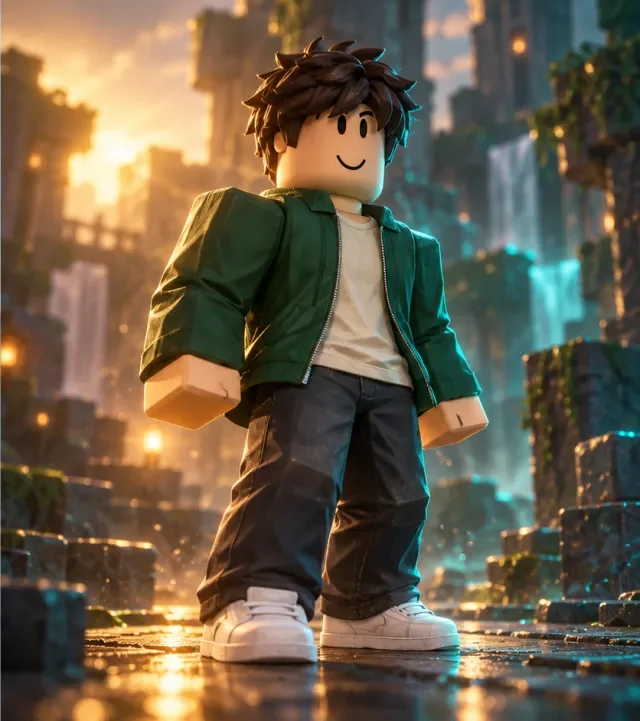
Cinematic preset look: warm golden-hour rim light, shallow depth of field, and atmospheric ruins.
Username lookups read only public Roblox avatar images. Uploaded references and outputs are stored at unlisted links (never posted to our public gallery), though anyone with the direct link can open them.
Roblox GFX Maker helps Roblox players, Discord users, and game developers render their avatar in lit 3D scenes without installing Blender or 3D rigs. Load 1 to 3 public Roblox usernames or screenshots online; our servers run Kling Image 4.0 to return a watermark-free 2K or 4K PNG. There is no free tier; a 1-avatar 2K render costs 19 credits (about $0.16), and the smallest pack that covers a render is $5.00 for 50 credits.
How the Roblox GFX maker works
Roblox GFX Maker runs in three browser steps: load 1 to 3 Roblox avatars by public username or screenshot, choose a lighting preset (or write a Custom scene brief), and pick your aspect ratio and 2K or 4K resolution before generating on ThumbBlox's servers.
- 1
Load your avatar by typing a public Roblox username (no password needed) or uploading a clean front or three-quarter PNG, JPG, or WebP screenshot. Add up to 3 avatars for duo or squad shots.
- 2
Pick a style card — Cinematic, Neon City, Glossy, Pastel, or Action — or choose Custom to enter your own scene prompt and an optional lighting reference image.
- 3
Choose 1:1 (PFP / icon), 16:9 (game or YouTube thumbnail), 4:3 (poster), or 9:16 (mobile), select 2K or 4K, confirm the checkbox, and generate your watermark-free PNG.
Roblox GFX examples: before, after, and style looks
These visual examples show how a flat Roblox avatar screenshot translates into lit cinematic, neon, glossy, pastel, and duo scenes across square 1:1 and widescreen 16:9 frames. Load any sample prompt below into Custom mode to adapt the lighting and pose for your own character; actual model outputs vary with the avatar screenshot and prompt.
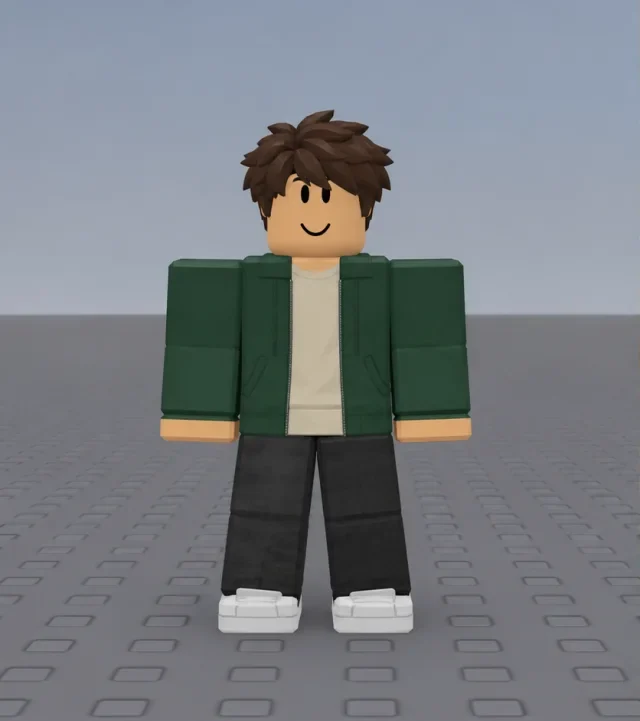
Before (flat screenshot)
After (cinematic render)
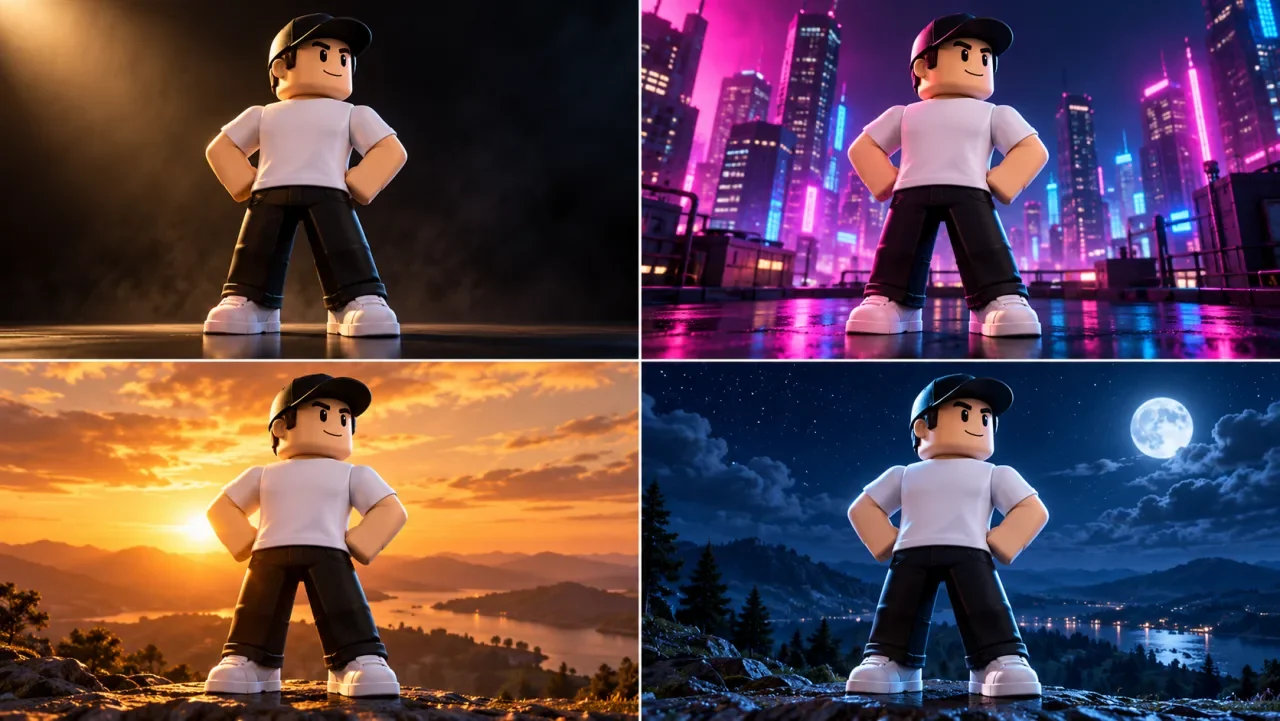
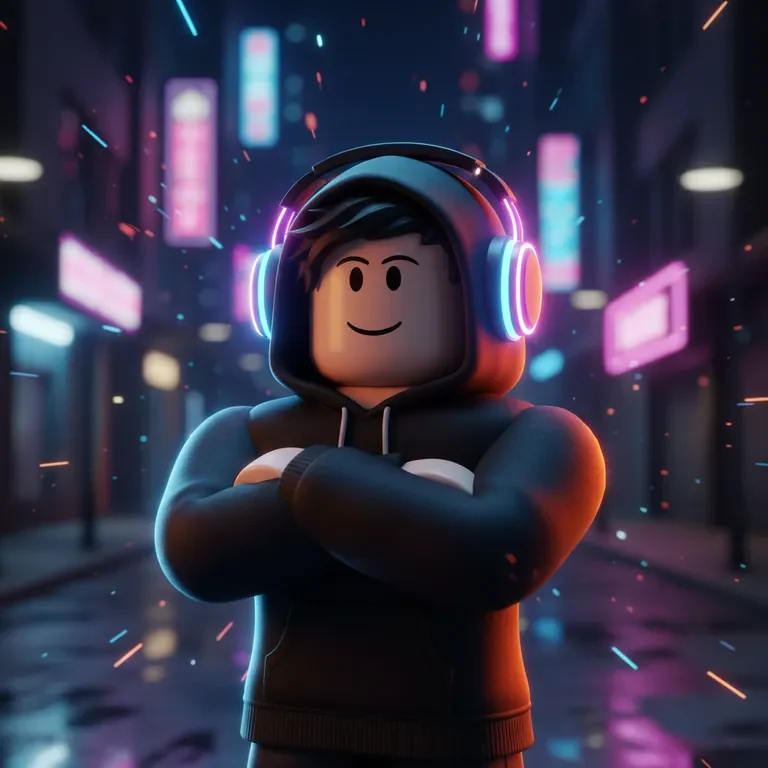
Neon City
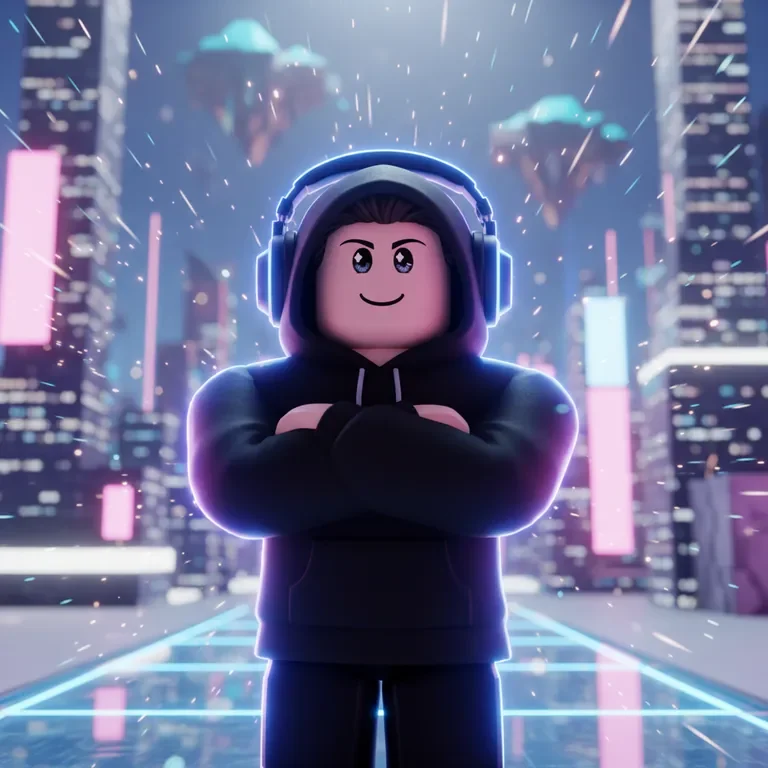
Glossy
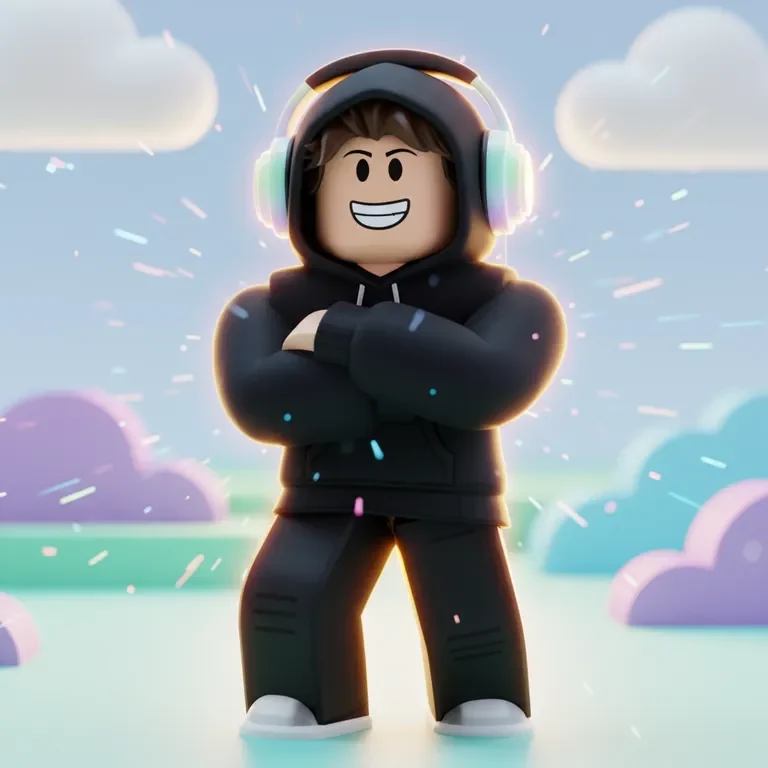
Pastel
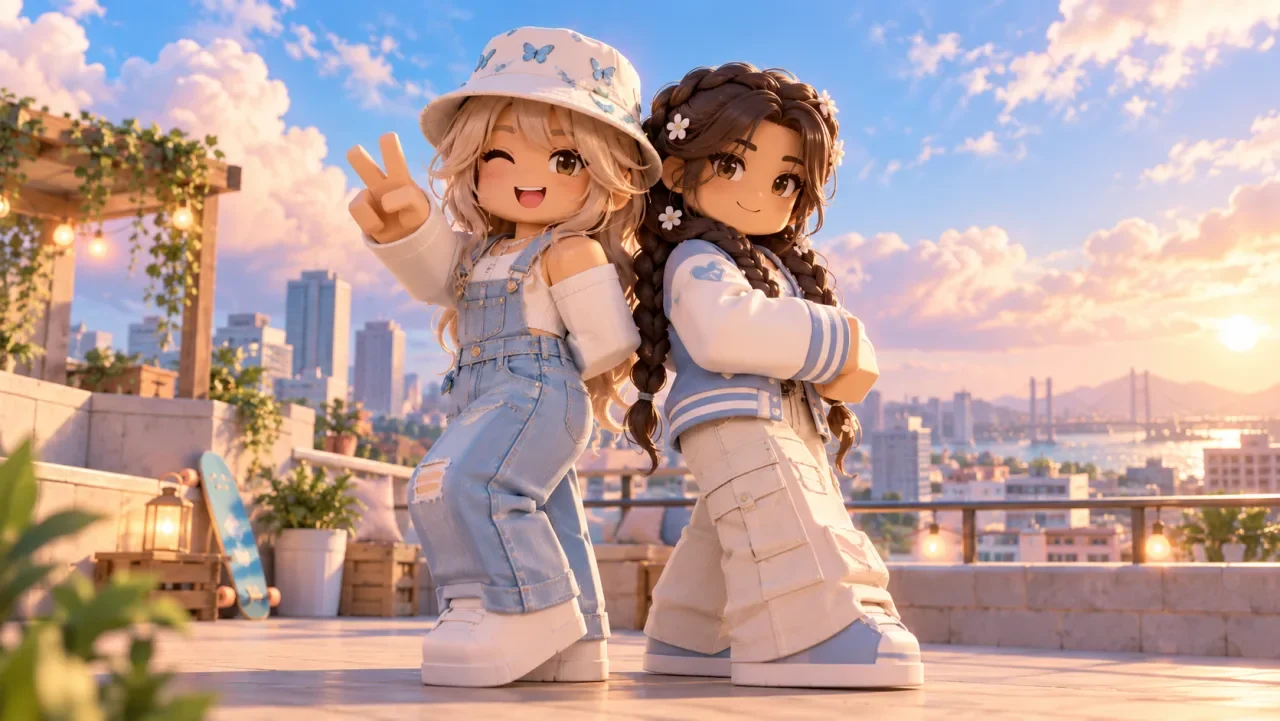
16:9 Pastel rooftop duo
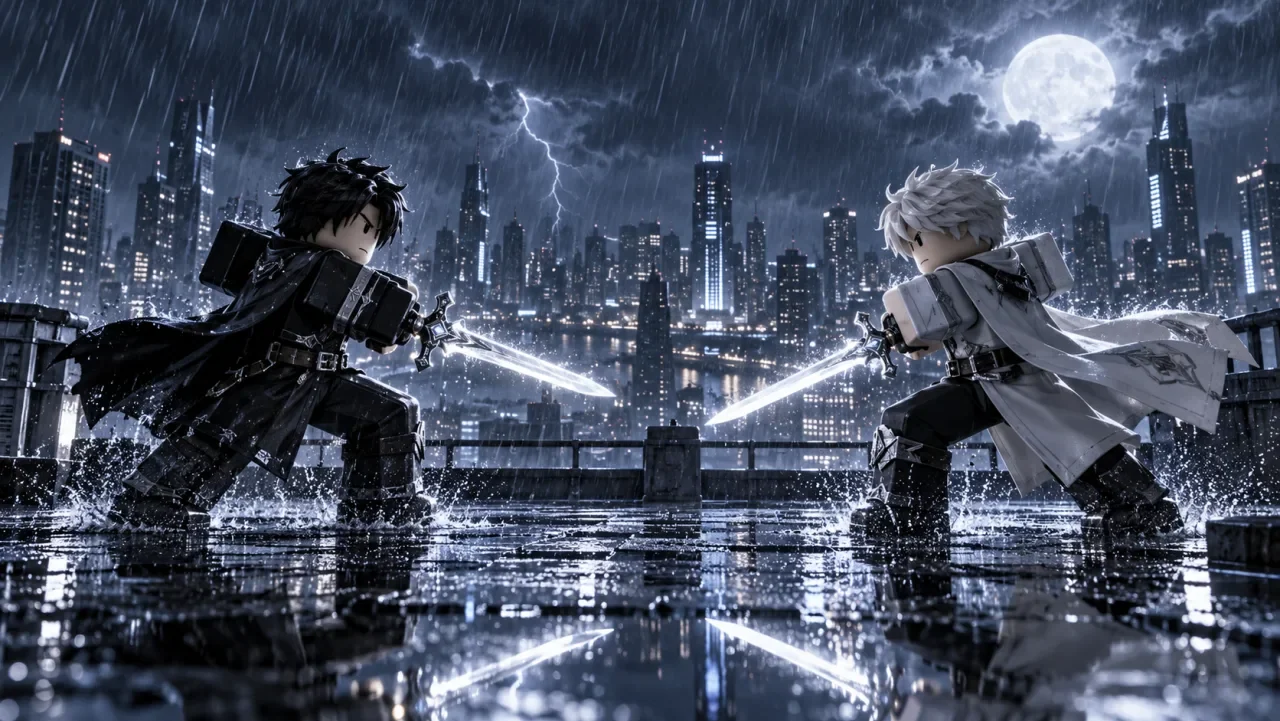
16:9 Rainy sword duel
Copyable Roblox GFX prompts with identity locking
Each template starts with an identity-lock sentence asking the model to keep your face, hair, clothing, and blocky proportions while changing lighting and scenery. Click any template to load it into Custom mode and edit it freely.
Strictly preserve the exact face, hair, outfit, accessories, and blocky proportions of @Image1. Standing on a wet rooftop above a rainy cyberpunk city at night, violet and cyan rim lights, soft bokeh skyline, crisp 3D Blender-style render.
Strictly preserve the exact face, hairstyle, outfit colors, and accessories of @Image1. Glossy pastel 3D portrait against dreamy pink and sky-blue clouds, soft studio lighting, gentle sparkles, head-and-shoulders framing centered for a circle crop.
Strictly preserve the exact outfits and blocky proportions of @Image1. Running down a dark abandoned hallway lit by a flickering flashlight and cold blue rim light, dramatic low-angle action shot, clear upper framing for a Roblox game thumbnail.
Strictly preserve each character identity, clothing, and accessories from @Image1 and @Image2. Posing side by side on a sunset rooftop overlooking a bright city skyline, warm golden rim light, clean depth of field, cinematic Roblox GFX poster.
Is this Roblox GFX maker free to use?
Not for AI generation on ThumbBlox: looking up a public Roblox username preview is free without an account, while each AI render starts at 19 credits (about $0.16) with no free trial credits. From a zero balance, the smallest pack that covers a full render is $5.00 for 50 credits (2 single-avatar 2K renders, no subscription). If you need a completely free Roblox GFX workflow with zero credits, GFX Workshop offers free watermark-free browser 3D renders up to 4K, Renderbux offers 1 free watermarked 720p render per week signed out (5 per week signed in), and Blender with Roblox Studio is free on desktop.
Paid AI credits on this page exist to cover server-side Kling Image 4.0 rendering at 2K and 4K without adding watermarks or requiring a recurring subscription. Credits are reserved when a run starts and automatically returned if screening blocks the request, the provider fails, the output fails PNG validation, or the 10-minute deadline expires.
Can you use a Roblox GFX maker on mobile without an app?
Roblox GFX Maker works directly in Safari on iPhone and Chrome on Android with no app download, Blender install, or desktop PC required. Because ThumbBlox's servers handle the AI rendering after you load your Roblox username or pick a screenshot from your camera roll, older phones and Chromebooks produce the same 2K and 4K PNGs as a gaming PC.
On mobile, typing your Roblox username is the quickest starting point because it fetches your full-body 720×720 public avatar directly without taking or cropping a screenshot. If you prefer a custom pose or layered-clothing angle from a Roblox game, take a clean screenshot against a simple wall, crop close to the character, and upload it from your photo library.
How do you keep your Roblox avatar consistent across PFP, Discord, and thumbnail sizes?
Keeping a Roblox avatar recognizable across AI GFX renders depends on clean reference framing, explicit identity-lock wording, and matching the aspect ratio to the destination platform. Start from a sharp front or three-quarter avatar image with uncluttered lighting so the prompt can request keeping the exact face, hair, outfit colors, and accessories, though AI redraws can still drift on tiny layered accessories.
Pick 1:1 for Discord avatars, YouTube profile pictures, and 512×512 Roblox icons; pick 16:9 for Roblox experience thumbnails (1920×1080 recommended on Roblox Creator Hub, keeping important elements above the bottom strip where player counts appear) and YouTube covers; pick 9:16 for Shorts or phone posters. Outputs vary by input image and pose complexity—simpler poses preserve small accessories more reliably than extreme action angles.
| Use case | Ratio | Recommended size | Framing note |
|---|---|---|---|
| Discord & YouTube PFP | 1:1 | 1024×1024+ (2K outputs 2048×2048) | Keep the head and hair centered inside the middle 70% so circular avatar masks do not trim hats or ears. |
| Roblox experience thumbnail | 16:9 | 1920×1080 recommended by Roblox (under 3 MB) | Place faces and action in the upper two-thirds; Roblox Creator Hub notes bottom overlays can cover lower elements. |
| Roblox game or group icon | 1:1 | 512×512 minimum square | Use one clear character close-up and high contrast so the silhouette still reads when scaled down to 150×150. |
| TikTok, Shorts & phone poster | 9:16 | 1080×1920+ vertical PNG | Leave clear sky or background space at the top and bottom for platform captions and buttons. |
Need a dedicated single-purpose Roblox tool instead? Try our Roblox PFP Maker, Roblox Thumbnail Generator, Roblox Game Icon Generator, or Roblox Thumbnail Size Guide.
How does an AI Roblox GFX generator compare with Renderbux, GFX Workshop, RBLX/ai, and Blender?
An AI Roblox GFX generator like ThumbBlox (this site's own tool, independent and unaffiliated with the other services below) trades manual 3D joint rigging for fast cinematic lighting and full scenes from a username or screenshot. Pure 3D browser studios like Renderbux and GFX Workshop give exact limb posing and transparent PNGs directly from your rig, RBLX/ai combines a 3D pose stage with AI backgrounds, and Blender offers full professional control at the highest learning curve.
| Tool | Workflow | Real avatar support | Free tier & watermark | Paid pricing |
|---|---|---|---|---|
| ThumbBlox (this tool) | AI render from 1–3 Roblox usernames or screenshots | Prompted from public avatar or uploaded screenshot | Username preview free; AI renders paid, no added watermark | From 19 credits (~$0.16); $5.00 / 50 credits one-time |
| Renderbux | Browser 3D rig posing & lighting studio | Loads real 3D rig by username | 1 render/week signed out, 5/week signed in; 720p with watermark | Pro $9.99/mo or $90/yr (unlimited 1080p/2K/4K, no watermark) |
| GFX Workshop | Browser 3D rig posing, lighting & layers | Loads real 3D rig by username; imports GLB/FBX/OBJ | Free, no sign-up, no watermark, up to 4K PNG | Optional render packs for ray-traced lighting (price not listed on landing page) |
| RBLX/ai GFX Studio | 3D multi-avatar stage + AI scene generation | Poses up to 3 public usernames in 3D before AI render | Posing and saving free; Hobby plan includes 0 monthly credits | 3 credits/render; credit packs from $2.99 or Pro $19.99/mo ($15.99/mo yearly) |
| RoVisuals | AI Roblox GFX, thumbnail & icon generator | Username fetch or up to 3 uploaded reference screenshots | Free tier lists 2 credits (+3 bonus after Discord verification) | Starter $7/mo (40 cr), Pro $15/mo (120 cr), Studio $30/mo (300 cr), or packs |
| Blender + Roblox Studio | Desktop 3D export, manual rigging, Cycles/EEVEE render | Exact exported 3D mesh (Marketplace glTF export limits apply) | Completely free open-source software, no watermark | $0 software cost; requires a PC/Mac and hours of setup and learning |
Checked 2026-11-23 against each tool's public website.
Roblox GFX pricing and credits
Every Roblox GFX render on ThumbBlox uses Kling Image 4.0 and is priced by resolution and reference image count: 2K starts at 19 credits (about $0.16 at the Studio pack rate) for 1 avatar and adds 1 credit per extra avatar or style reference (up to 22 credits for 4 references); 4K runs 27 to 30 credits (about $0.23–$0.25). From a zero balance, the smallest pack that covers a full render is $5.00 for 50 credits (2 single-avatar 2K renders, no subscription). A $2.99 top-up pack (10 credits) is also available when you already have a partial balance.
| Model & resolution | Reference images | Credits | Est. USD (Studio rate) |
|---|---|---|---|
| Kling Image 4.0 · 2K PNG | 1 (solo avatar) | 19 | $0.16 |
| Kling Image 4.0 · 2K PNG | 2 (duo or avatar + style) | 20 | $0.17 |
| Kling Image 4.0 · 2K PNG | 3 (squad or duo + style) | 21 | $0.18 |
| Kling Image 4.0 · 2K PNG | 4 (3 avatars + style) | 22 | $0.18 |
| Kling Image 4.0 · 4K PNG | 1 (solo avatar) | 27 | $0.23 |
| Kling Image 4.0 · 4K PNG | 2 (duo or avatar + style) | 28 | $0.23 |
| Kling Image 4.0 · 4K PNG | 3 (squad or duo + style) | 29 | $0.24 |
| Kling Image 4.0 · 4K PNG | 4 (3 avatars + style) | 30 | $0.25 |
| Free access | Username lookup preview is free without signing in. New accounts receive no free AI generation credits. | ||
| Watermark | No watermark added by ThumbBlox on any generated 2K or 4K PNG. | ||
| Failed runs | Automatic refund if content screening rejects the brief, storage preflight fails, the model fails or times out after 10 minutes, or the returned PNG fails format/resolution verification. | ||
What this Roblox GFX generator can't do
This Roblox GFX generator creates flat, lit 2D PNG illustrations using an AI image model rather than a local 3D viewport, so it has clear limits compared with Blender or 3D browser studios.
- No transparent-background PNG export yet: every preset renders a complete lit background scene rather than an isolated alpha cutout.
- No pixel-exact guarantee on tiny accessories or layered clothing: the prompt requests preserving your avatar details, but AI image models redraw the frame and results vary by screenshot and pose.
- No 3D mesh, rig, or Blender (.blend / .fbx / .glb) export, and no manual joint-by-joint limb dragging.
- Maximum 3 avatars per run (plus 1 optional style reference in Custom mode) and one static PNG per run—no batch rendering, animated GIFs, or videos.
- Generated files are unlisted and not posted to the public gallery, but anyone who receives the direct storage URL can open the image.
Roblox GFX maker FAQ
Direct answers on username safety, commercial licensing, multi-avatar squad renders, and how this browser generator differs from Roblox in-game GFX places.
Is entering my Roblox username safe?
Yes. ThumbBlox only looks up your public Roblox user ID and public avatar render through Roblox's public API so you can preview and attach your character. It never asks for your Roblox password, security cookie, email, or private inventory, and you can upload a screenshot directly instead.
Can I use AI Roblox GFX commercially for my game thumbnails and YouTube channel?
Paid credit generations on ThumbBlox include commercial use for your game pages, ads, Discord servers, and monetized YouTube channels, with no watermark added by ThumbBlox. You remain responsible for avoiding third-party trademarks, copyrighted characters, or another creator's assets without permission.
Can I put two or three avatars together for a couple or squad GFX?
Yes. You can load up to 3 Roblox avatars in one run using any mix of public usernames and uploaded screenshots. Each added reference image adds 1 credit (20 credits for 2 avatars or 21 credits for 3 avatars at 2K). In Custom mode, mention each character's position (left, center, right) so the prompt keeps their roles clear; results vary by pose and outfit complexity.
How is an online Roblox GFX maker different from the in-game GFX MAKER experience on Roblox?
The GFX MAKER experiences listed on Roblox are playable places inside the Roblox client where you pose in front of built-in backdrops and take in-game screenshots. An online Roblox GFX generator runs in a web browser and produces high-resolution 2K or 4K PNG renders with custom studio lighting, neon effects, or detailed scenes outside the game client.