
Face in Hole Generator — Make Funny Photo Boards
Face in hole generator by ThumbBlox turns your selfie into a funny photo board picture, with preset scenes or your own face-hole template.
Create your photo board image
Your selfie
One front-facing portrait. PNG, JPG or WebP, up to 10 MB and 4 million pixels.
Photo scene
Requests a painted astronaut board at a seaside fair, with your face in the helmet opening.
Model
Aspect ratio
Resolution
Photo preview
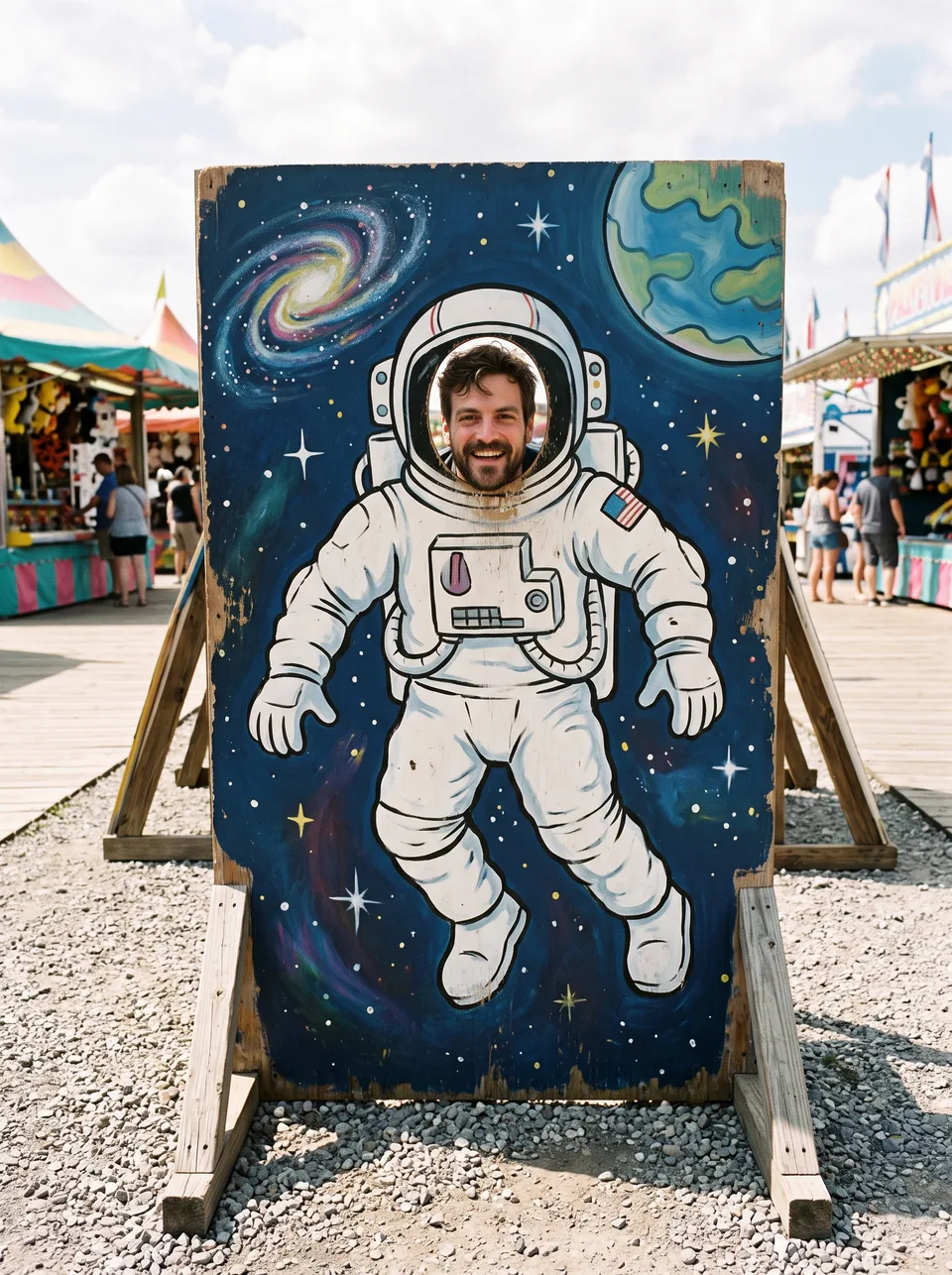
Example: a portrait placed in a painted astronaut board. Your generated picture will differ.
Uploads use unlisted file links for processing; anyone with a link can open them. Results stay out of the public gallery.
Face in hole photos on ThumbBlox turn a selfie into a funny character picture for a group chat or greeting. Choose a painted board or add your own scene template; AI redraws the image rather than pasting unchanged face pixels. Each run returns one 1K or 2K PNG without an added watermark, from 20 credits. The smallest sufficient one-time pack is $5.00 for 50 credits.
How to make a face-in-hole photo
A face-in-hole photo here starts with one portrait. Choose a scene, a frame and a resolution; the prompt asks for one recognizable face aligned inside the opening with natural scale, light and a contact shadow. Check the returned image before sharing, because facial details and edges can change.
- 01
Upload a selfie
Use one clear, front-facing portrait with visible eyes and mouth. PNG, JPG or WebP, up to 10 MB and 4 million pixels.
- 02
Choose a board or your own idea
Pick Astronaut or Gingerbread. For Custom, describe your scene first, then optionally add a template with one face opening. Choose 3:4, 4:3 or 1:1 and 1K or 2K.
- 03
Generate, check and download
Check the face, hole edges and head size, then save the PNG. Failed generations return credits; downloading the completed image costs nothing extra.
Funny face in hole: portraits and scene templates
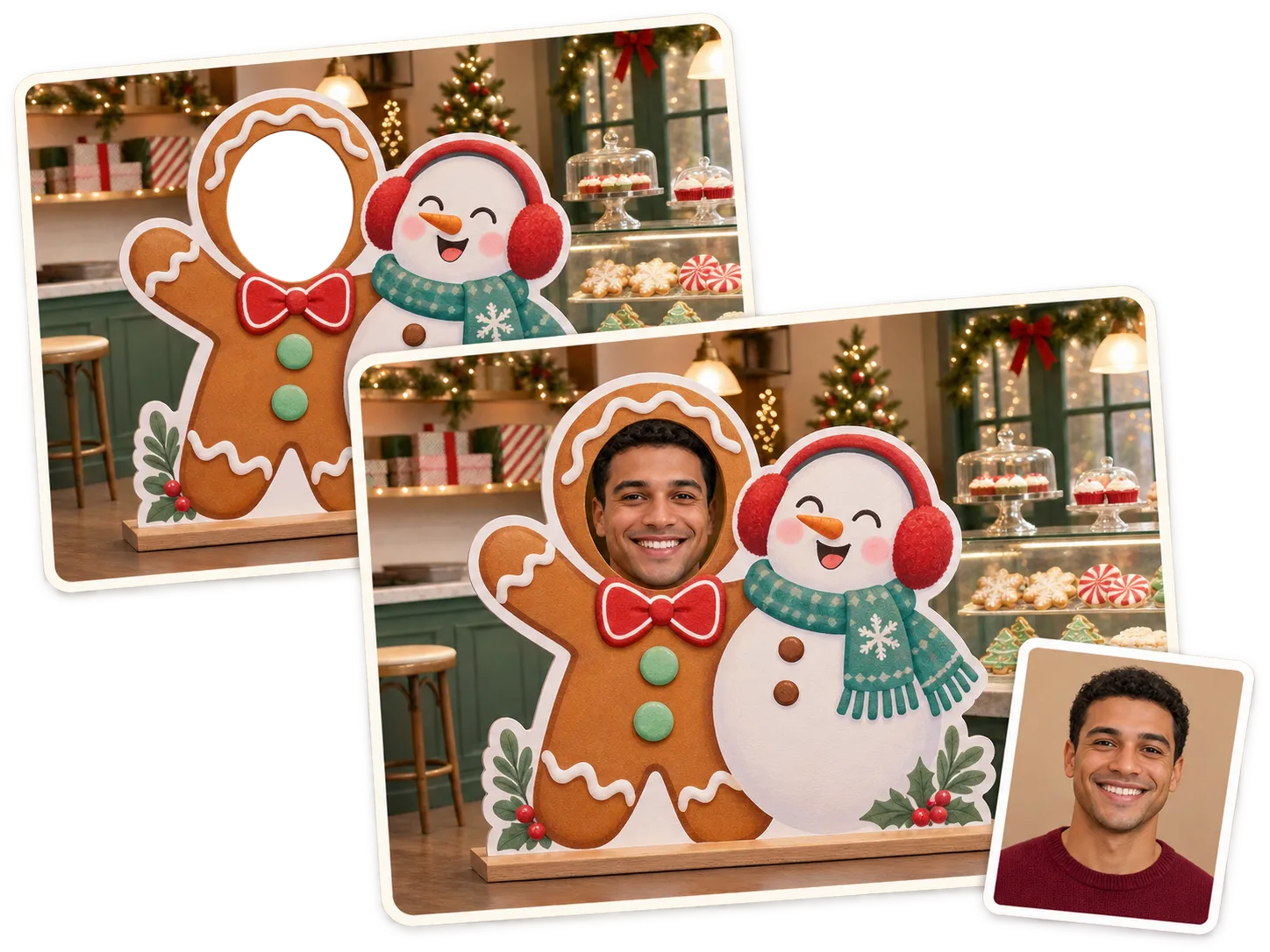
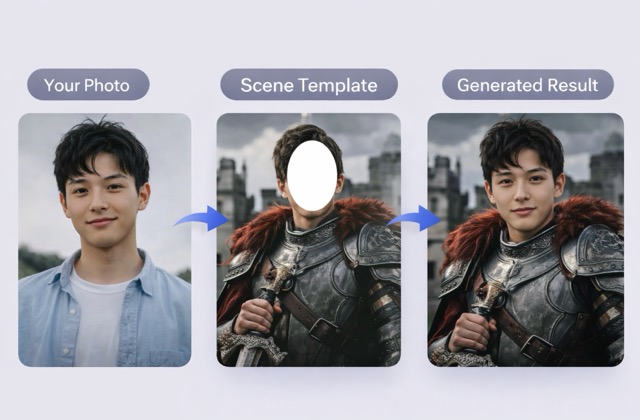
These pictures show two ways to make a face-in-hole photo: a portrait inside a painted carnival board, or a portrait combined with a character scene template. The astronaut and gingerbread show the board look; the knight shows the optional Custom template approach. AI can redraw the face and background, so each output needs a visual check.

Original portrait
Face-in-hole photo
Can I create my own face in hole picture?
Face in hole pictures on ThumbBlox can use your own scene: select Custom, describe what should surround your face, then optionally upload a board or character template as the second image. The first photo supplies the identity; the second guides the body, background and composition. The prompt requests one face inside one opening. AI reconstructs the picture, so small facial details, lettering and template edges may change.
Without a template, Custom asks for a painted photo board. With a template, name its opening and what must stay, for example “put my face in the knight helmet; keep the armor and castle”. This is image generation, not a downloadable library of printable face-hole templates.
Is this face in hole generator free?
Face in hole generation on ThumbBlox is not free: one 1K photo costs 20 credits. Starting from zero, the smallest sufficient one-time pack is $5.00 for 50 credits, enough for 2 photos at about $2.00 each. No subscription is required, and a completed PNG downloads at full size without an added watermark or an extra charge.
If the model fails or returns no image, the credits return automatically. An additional Custom template costs 4 credits per photo.
Do I need a face in hole app download?
Face in hole photos on ThumbBlox work in a phone or desktop browser, with no app download. Choose a selfie from your camera roll, select the scene and settings, then sign in to generate with credits. Save the completed PNG from the result panel. A static picture is suitable for a group chat, social post or greeting; this tool does not produce an animated face-in-hole clip.
AI face in hole pricing and credits
Face in hole pricing on ThumbBlox starts at 20 credits for one 1K photo: about $0.17 at the largest pack rate, or $2.00 using the smallest sufficient $5.00 pack. Resolution and the optional Custom template change the charge; aspect ratio does not. The table shows one output image for every row, and downloading never adds a fee.
| One output image | Credits / price | Access & output |
|---|---|---|
| 1K · one selfie | 20 credits · ~$0.17 | Sign-in · PNG · no added watermark |
| 1K · selfie + template (Custom) | 24 credits · ~$0.20 | Sign-in · PNG · no added watermark |
| 2K · one selfie | 64 credits · ~$0.53 | Sign-in · PNG · no added watermark |
| 2K · selfie + template (Custom) | 68 credits · ~$0.57 | Sign-in · PNG · no added watermark |
| Smallest pack covering one image from zero credits | $5.00 / 50 credits | One-time purchase · 2 1K photos · credits valid for one year |
| New account allowance | 0 credits | No free generation covered; a credit pack is required |
| Download the completed photo | 0 credits · $0 | Full-size PNG · phone browser, no app |
US dollars. The ~$ amounts use the lowest credit price: the $50.00 / 6000-credit pack. Smaller packs cost more per image.
See all credit packsWhat this photo board tool cannot do
Face-in-hole generation redraws a still image; it cannot guarantee unchanged face pixels, exact lettering, a perfect head scale or an identical template. Strong profiles, sunglasses and covered faces give the model fewer visible features. One portrait and one opening are supported per run: no multiple-face mapping, batch upload, video, GIF export or print-ready cutout PDF. Check the face and any important template detail before sharing.
Face in a hole generator: FAQ
Which file formats can I upload and download?
Upload a PNG, JPG or WebP up to 10 MB per image, with at most 4 million pixels. The optional Custom template follows the same limit. The finished picture downloads as one PNG at your chosen 1K or 2K resolution and aspect ratio.
Can a face in hole meme generator make a GIF here?
This face in hole meme generator makes one static PNG per run. It does not export animated GIFs or videos; use the PNG as a still reaction image or import it into a separate animation editor.
Can two people share the same photo board?
This tool supports one identity portrait and one face opening per image. Make separate images for different people. The optional second upload in Custom is a scene template, not a second person to place in another opening.